

October 8, 2026
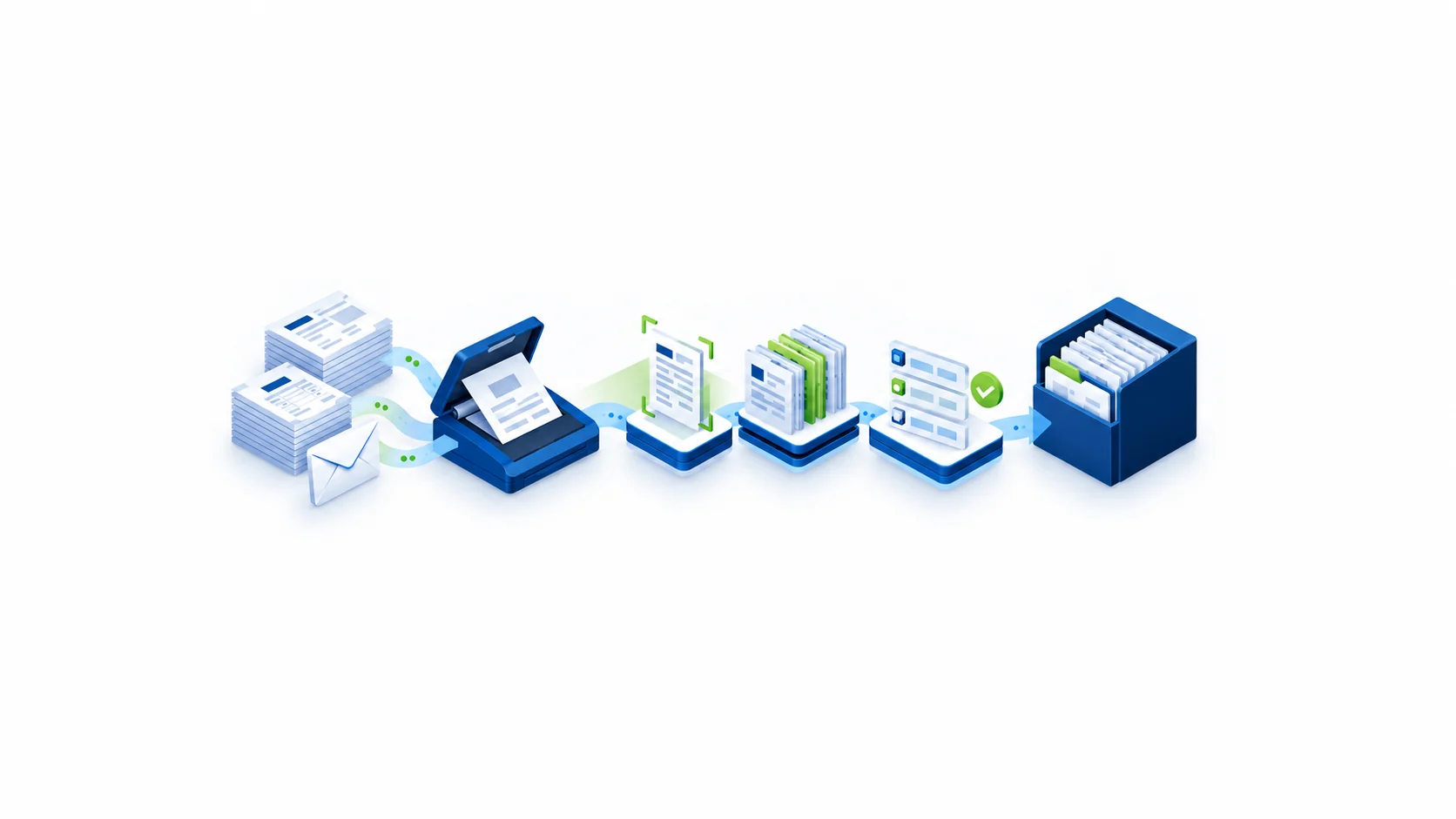
Tungsten Automation Capture is software that takes incoming documents, whether paper or digital, and turns them into organized, usable information that flows automatically into your business systems. It was previously called Kofax Capture. If your organization receives large volumes of forms, invoices, claims, or applications, Tungsten Capture does the work of opening, sorting, reading, and filing them, without someone keying the data in by hand.
This guide is for anyone new to the product: IT leaders evaluating capture platforms, operations managers tired of manual data entry, and executives who keep hearing “Kofax” and “Tungsten” and want to know what they actually mean.
Kofax was one of the earliest enterprise document capture companies. In January 2024, it announced that it had renamed itself Tungsten Automation. Its flagship capture product, Kofax Capture, became Tungsten Capture, often called Tungsten Automation Capture.
The rename was a rebrand, not a replacement. The product lines continued under the new name, and existing Kofax Capture customers did not have to switch to something new. If you see “Kofax Capture,” “Tungsten Capture,” and “Tungsten Automation Capture” in documentation, job postings, or vendor quotes, they all refer to the same product family.
Think of Tungsten Capture as a highly efficient digital mailroom. Every document that enters your organization goes through roughly the same five steps:
When something doesn’t look right, like a blurry scan or a missing field, the system flags it for a person to review. Everything else moves through untouched.
Picture an insurance company that receives 5,000 claim forms a week, some by mail and some by email.
Without a capture platform, staff open envelopes, scan pages, figure out what each document is, type the claim number and policyholder details into the claims system, and save the file to the right folder. That’s slow, repetitive, and error-prone.
With Tungsten Capture, the mail gets scanned in batches and the emailed forms are picked up automatically. The software recognizes each claim form, reads the key fields, checks them against the policy system, and files everything in the right place. Staff only step in for the small share of documents that need a human decision. Claims reach adjusters faster, and fewer details get lost or mistyped along the way.
You’ll often hear two related terms.
Document capture is the broad category: getting documents into digital form and into your systems. At its most basic, that means scanning and indexing.
Intelligent document capture goes further. It uses recognition rules and, increasingly, AI and machine learning to understand what a document is and what information matters in it. That’s especially useful for documents that vary in layout, like invoices from hundreds of different suppliers.
Tungsten Capture sits squarely in this space. On its own, it handles high-volume scanning, classification, and extraction. It can be extended with Tungsten Transformation, previously known as Kofax Transformation Modules or KTM, for more advanced AI-driven extraction from complex or unstructured documents. Tungsten Capture is often part of a broader intelligent document processing strategy.
Tungsten Automation offers several products, and the names can blur together. Here’s the simple version.
Tungsten Capture focuses on getting documents in, understood, and delivered. It is the workhorse for production scanning and document intake.
Tungsten TotalAgility is a broader platform that combines capture with low-code workflow, process orchestration, and AI. Organizations often use it when they want to automate the entire business process around a document, not just the intake.
Many organizations run Tungsten Capture for years and later evaluate whether some workloads belong on TotalAgility. Others stay on Capture because it does exactly what they need. There’s no one right answer; it depends on your volumes, document types, and how much downstream automation you want.
Tungsten Capture is most common in organizations that handle large volumes of documents under strict accuracy and compliance requirements:
Tungsten Capture is worth a serious look if several of these apply to you:
Tungsten Capture is an enterprise platform, and it’s not the answer for every situation. If you process a few hundred documents a month, a lighter-weight tool may serve you better. The same applies if your document types are almost entirely unstructured and conversational, or if you want a fully cloud-native, AI-first service with minimal configuration.
Some organizations already standardized on the IBM stack may also be better served by IBM Datacap. A good partner should help you compare options honestly rather than push a single product. For more on how older capture platforms compare with newer needs, see Legacy Capture, Modern Gaps.
Tungsten Capture is powerful, but it isn’t plug-and-play. A successful rollout typically involves:
This is where an experienced implementation partner matters. DAS has worked with Kofax and Tungsten deployments for more than a decade. We help with new implementations, upgrades from older Kofax versions, systems integration, and platform upgrades. If you’re already running Tungsten and want to get more out of it, read What Is Tungsten Capture — and What Can It Do for Your Organization?.
Whether you’re evaluating capture platforms for the first time or trying to understand a Kofax environment you inherited, DAS can help. We’ll look at your documents, volumes, and systems, and give you a straight answer on whether Tungsten Capture fits and what it would take.
Talk to a DAS capture specialist →
Learn more about our Tungsten Automation services, including our work with Tungsten Capture.
Yes. Kofax renamed itself Tungsten Automation, and Kofax Capture is now called Tungsten Capture or Tungsten Automation Capture. It is the same product family under a new name.
No. The name change does not require you to switch products. You may still want to plan an upgrade if you’re running an older version.
Tungsten Capture focuses on document intake: scanning, classifying, extracting, and delivering. TotalAgility is a broader platform that adds workflow, orchestration, and AI to automate the full process around a document.
It’s a core capture component of IDP. Paired with Tungsten Transformation or TotalAgility, it supports more advanced AI-driven document understanding.
It can deliver documents and data to many enterprise systems, including IBM FileNet, SharePoint, other ECM platforms, ERPs, and line-of-business applications.


